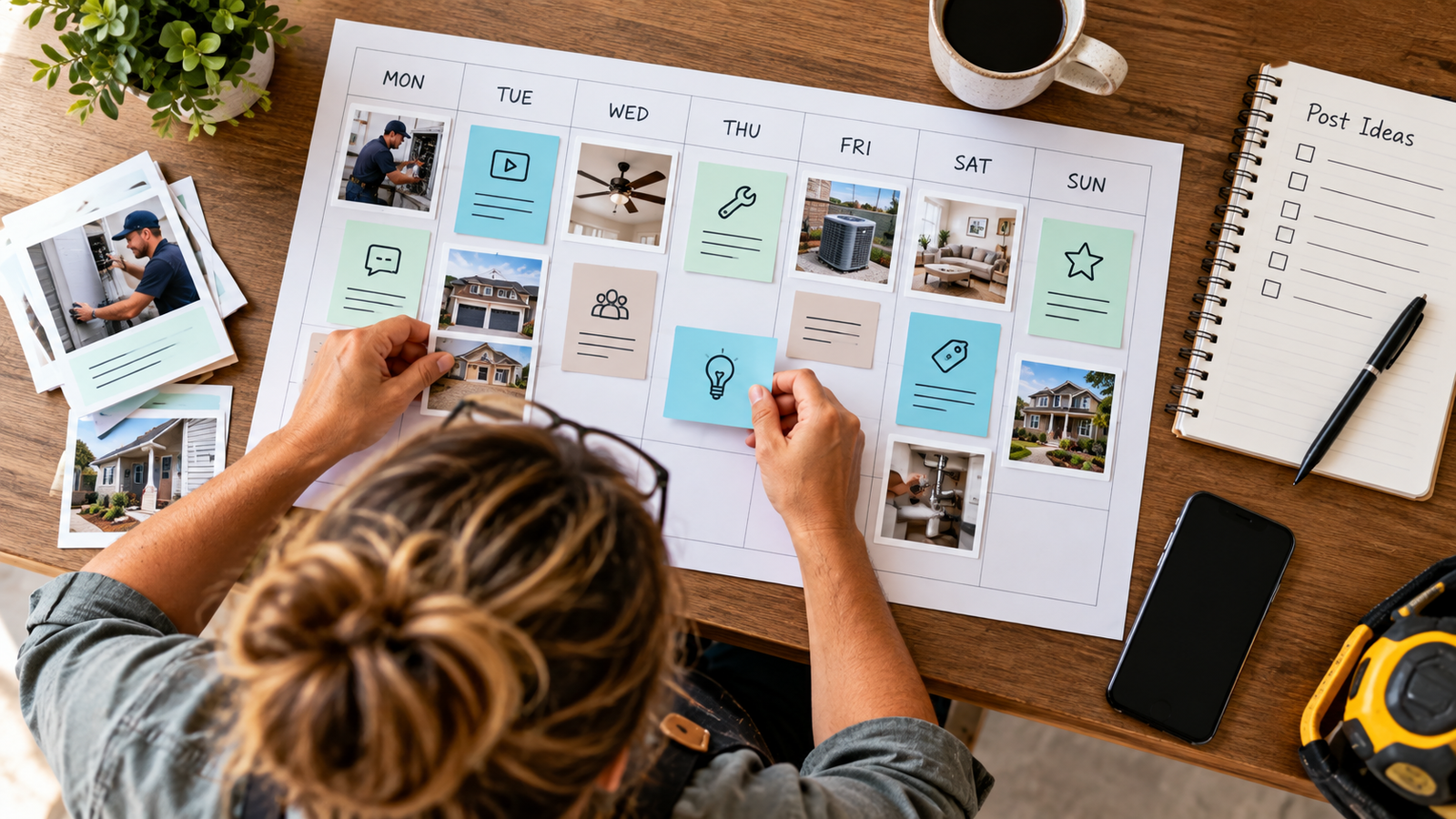
A social media content calendar is a schedule that lays out what you post, where, and when, planned in advance instead of decided each morning. Building one means picking your platforms and posting frequency first, then filling a simple template, usually a Google Sheet, with real post ideas two weeks at a time. Most business owners skip this step not because they don’t see the value, but because they’re busy running jobs, showing houses, or managing customers, and planning content feels like one more task competing for the same hour.
That’s the same tension behind missed phone calls. The work that earns the money is the same work that keeps you from the planning, the follow-up, or the post you meant to write last Tuesday. A calendar fixes the content side of that problem. It won’t fix the phone, but it follows the same logic: decide once, in advance, instead of scrambling every day.
This walks through the setup in order: pick a goal and a realistic posting pace, choose a small set of content pillars, build a template you’ll actually open, then create and review posts on a repeatable schedule.
Key Takeaways
- A content calendar works best when it starts with one clear goal and a posting frequency you can sustain, not an ambitious one you’ll abandon by week three.
- Three to five content pillars, planned two weeks at a time, remove the daily guessing game about what to post.
- A simple spreadsheet template beats a complicated tool if the complicated tool sits unopened.
Set Your Goal, Platforms, and Posting Cadence
Start by naming one goal for your social media, because a calendar built without a goal turns into a random feed of posts that don’t add up to anything. Common goals include building local brand awareness, generating leads, or staying visible between transactions with past customers. Pick one as the primary driver, even if you expect secondary benefits.
Next, run a quick social media audit. Look at the platforms you’re already on and ask which ones your actual customers use. A real estate agent or home-service business usually gets more traction from Facebook and Instagram, where local, visual content performs well, than from platforms built for a different audience. LinkedIn works if you’re targeting other businesses or referral partners rather than homeowners. TikTok suits short-form video and a younger audience, but only makes sense if you have the time or willingness to shoot video regularly.
Avoid spreading yourself across every platform at once. Posting consistently on two platforms beats posting occasionally on four. Decide your posting cadence based on what you can sustain, not what sounds impressive. A realistic starting cadence looks like:
- Facebook: 3 to 4 posts per week
- Instagram: 3 to 5 posts per week, mixing feed posts and short-form video
- LinkedIn: 2 to 3 posts per week, if your audience is business-focused
- TikTok: 2 to 3 short videos per week, only if video production fits your schedule
A consistent posting schedule, even a modest one, builds more trust with an algorithm and an audience than a burst of ten posts followed by two weeks of silence. If you’re also missing phone leads while you’re out working, the lead response first five minutes guide covers why that gap costs more than a slow social post ever will.
Choose Content Pillars and Plan Two Weeks of Posts
Content pillars are the three to five recurring themes your posts rotate through, and they solve the “what do I post today” problem before it happens. Without pillars, every post requires a fresh idea. With them, you’re filling in a known category.
For a service business or real estate agent, a workable set of pillars might include:
- Educational content: tips, explainers, or answers to common customer questions
- Behind-the-scenes work: job sites, listings, or the day-to-day of running the business
- Customer stories: reviews, before-and-afters, or testimonials
- Local relevance: neighborhood events, market updates, or community involvement
- Promotional content: services, listings, or offers, kept to a smaller share of the mix
Once pillars are set, build a content mix that doesn’t lean too hard on promotion. Mixing in evergreen content, posts that stay useful months later, reduces how much new material you need to generate each week. A short-form video explaining a common question you get from clients can get reused or repurposed into a caption months down the line.
Plan two weeks of posts at a time rather than one. Two weeks gives enough runway to notice gaps, like three educational posts in a row with nothing local, before they go live. Pull ideas from keyword research around what your customers actually search, and from social listening, paying attention to the questions and comments people leave on your own posts or competitors’ posts. If you’re campaign planning around a launch or a seasonal push, map those posts into the two-week block first, then fill in around them with your regular pillars.
Build a Calendar Template You Will Use
The best content calendar template is the one you’ll open every week, and for most small businesses, that means a Google Sheets template rather than a complex project management tool. A spreadsheet is free, familiar, and flexible enough to adjust without a learning curve.
A working social media content calendar template needs these columns, at minimum:
| Column | Purpose |
|---|---|
| Publish date | When the post goes live |
| Platform | Instagram, Facebook, LinkedIn, TikTok, etc. |
| Content pillar | Which theme the post falls under |
| Caption or copy | The actual text for the post |
| Asset link | Where the photo or video lives |
| Status | Draft, ready, scheduled, or posted |
Keep the structure simple enough that filling it in takes minutes, not an hour. A social media calendar template with twenty columns rarely gets used past the first week. If you want a monthly view for planning around holidays or launches, add a separate tab that functions as an editorial calendar, with the detailed weekly tab underneath it for execution. Treat the monthly tab as the marketing calendar you glance at, and the weekly tab as the one you actually work from.
If you manage listings alongside your social posts, the automate listing descriptions setup guide shows how to turn one piece of content into several without starting from scratch each time.
Create, Schedule, and Review Your Posts
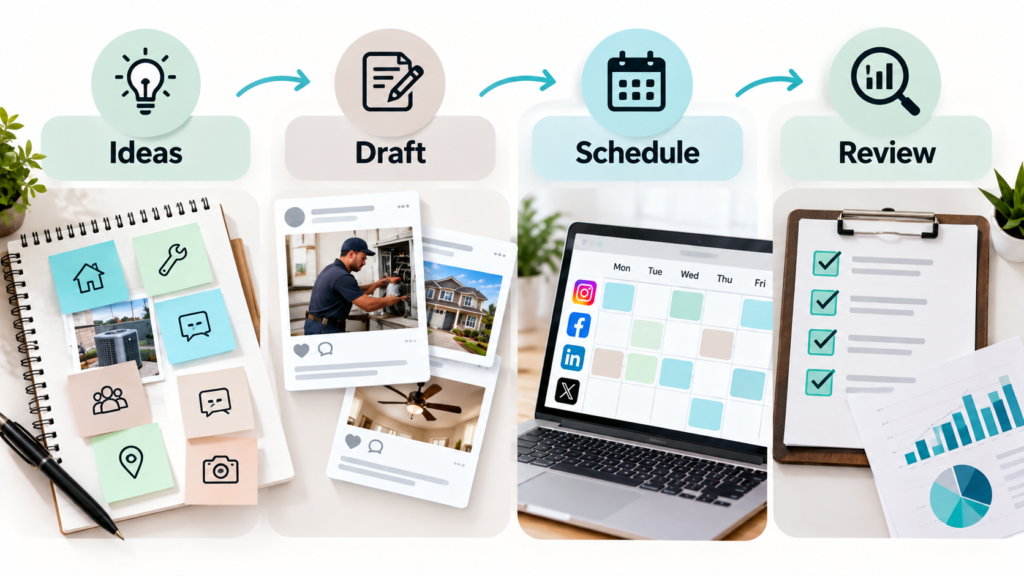
Creating and scheduling posts works best as a batch process, where you write captions and gather images for the full two-week block in one sitting rather than daily. Batching content creation saves the mental cost of switching back and forth between “business owner” and “content creator” multiple times a day.
Once posts are drafted, decide if anything needs a second set of eyes before it goes out. Even a one-person business benefits from a short approval step, reading a post again an hour after writing it, before it’s scheduled. A real team should build a simple approval workflow: who drafts, who reviews, who schedules, so nothing sits half-finished.
For scheduling and publishing, tools like Buffer, Later, and Hootsuite let you queue posts across multiple platforms from one place instead of logging into each app separately. These social media management tools also show you a calendar view of what’s already scheduled, which makes it easy to catch a gap or a week that’s too promotional.
After posting, review what performed well and what didn’t, weekly for the first month and then monthly once a pattern emerges. If a particular content pillar consistently gets more comments or shares, lean into it the following cycle. If you’re trying to connect your online content back to inbound calls and leads, the service business lead path guide walks through what happens after someone sees your post and decides to call.
Start Small and Keep the Calendar Current
A social media content calendar only works if someone keeps updating it, and the fastest way to abandon one is to build something too ambitious in week one. Start with one goal, two platforms, and a two-week planning window. Add complexity, more platforms, a formal approval process, a monthly editorial view, only once the basic habit sticks.
Revisit the calendar every week, even briefly, to fill the next open date and check what’s coming up. A calendar that goes untouched for a month stops being useful the moment real life interrupts the plan, which it always does. Treat it as a living document, not a one-time project, and it will keep paying off long after the first two weeks are filled in.
Frequently Asked Questions
How often should a small business post on social media?
A realistic starting point is three to four posts a week on your primary platform and two to three on a secondary one. Posting less, consistently, works better than posting daily for two weeks and then going silent for a month. Adjust the frequency once you see which days and formats actually get engagement from your audience.
What’s the difference between a content calendar and a posting schedule?
A content calendar includes the full plan, captions, images, pillars, and status, while a posting schedule is just the dates and times posts go live. Most small businesses combine both into one spreadsheet rather than keeping them separate. The calendar is the plan; the schedule is one column inside it.
Do I need a paid tool to manage a social media calendar?
No. A Google Sheets template handles planning for most small businesses and solo operators without any cost. Paid tools like Buffer, Later, or Hootsuite add value once you’re scheduling posts directly to multiple platforms and want analytics in one place, but they aren’t required to get started.
How far in advance should I plan social media content?
Two weeks is a practical planning window for most small businesses, long enough to spot gaps in your content mix but short enough to stay flexible. Larger campaigns or seasonal pushes benefit from mapping key dates a month or two ahead. Fill in the regular pillar content around those planned dates as you go.