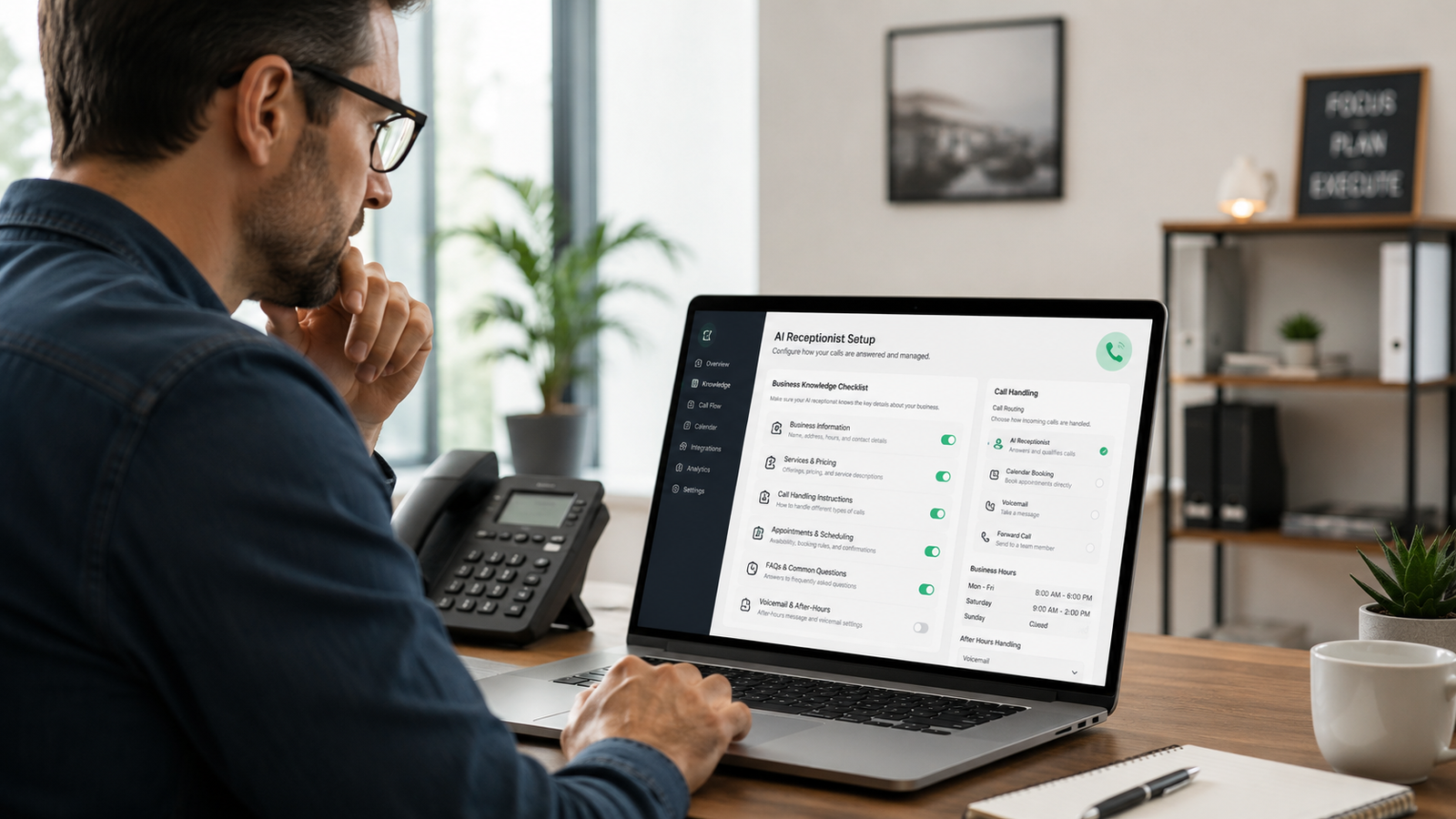
The setup conversation that separates a professional AI call experience from one that makes your customers hang up.
You have probably already imagined the scenario. A customer calls your business, gets an AI, and immediately feels like they dialed the wrong number. The voice says something generic. It cannot answer a basic question about your service area. It routes them somewhere that makes no sense. They hang up, and you never knew they called.
That is not an AI receptionist problem. That is a setup problem.
The difference between an AI call experience that sounds like your business and one that makes customers question your professionalism comes down to what happens before the first call is answered. An AI receptionist does not invent your voice or guess at your services. It works from what you give it.
If you are considering an AI receptionist for your business, or if you already have one that is not quite working the way you expected, this article will show you exactly what information your AI needs to do the job right.
Key Takeaways
- An AI receptionist is only as good as the business information it starts with. Thin setup produces thin results.
- Customers do not compare your AI to a human receptionist. They compare it to your voicemail, your competitor who answered, and their own expectations.
- Seven categories of information determine whether your AI sounds like your business or a placeholder.
- You can prepare this information in one focused session. Most business owners already know all of it.
- Setup is not a one-time task. As your services, hours, and service areas change, your AI configuration needs to keep up.
Why Most People Set This Up Wrong
Here is what usually happens. A business owner decides to try an AI receptionist, goes through the onboarding process, answers the basic prompts quickly, and considers it done. They are busy. The setup questions feel like a form to complete, not a real conversation to have.
Then a call comes in. The AI gets the greeting right. But when the caller asks something specific — “Do you serve my neighborhood?” or “How long does a typical job take?” — the AI either gives a vague answer or says it cannot help with that. The caller’s confidence drops. Maybe they stay on the line. Maybe they do not.
The business owner blames the technology. But the technology was waiting for better instructions.
I have been in this space long enough to know that the clients who are happiest with their AI receptionist setup spent real time on the front end thinking through exactly how their business handles calls. They did not treat setup like a box to check. They treated it like hiring someone who was about to represent them on every single call.
That mindset shift changes everything.
What Callers Actually Need When They Reach Your Business
Before we get to the setup checklist, it is worth understanding what a caller is actually trying to do. When someone calls a service business, they are usually in one of three situations.
They need something done and want to know if you can do it. They are comparing a few businesses and want to get a feel for you before they decide. Or they are already a customer with a question or a problem that needs attention.
Each type of caller needs something slightly different from your AI. The first caller needs quick confirmation that you serve their area and do the type of work they need, plus a path to book. The second caller needs enough information to feel like you are the kind of business that has its act together. The third caller needs to feel heard and get routed to the right place fast.
A well-configured AI handles all three. It has to know enough about your business to tell the difference.
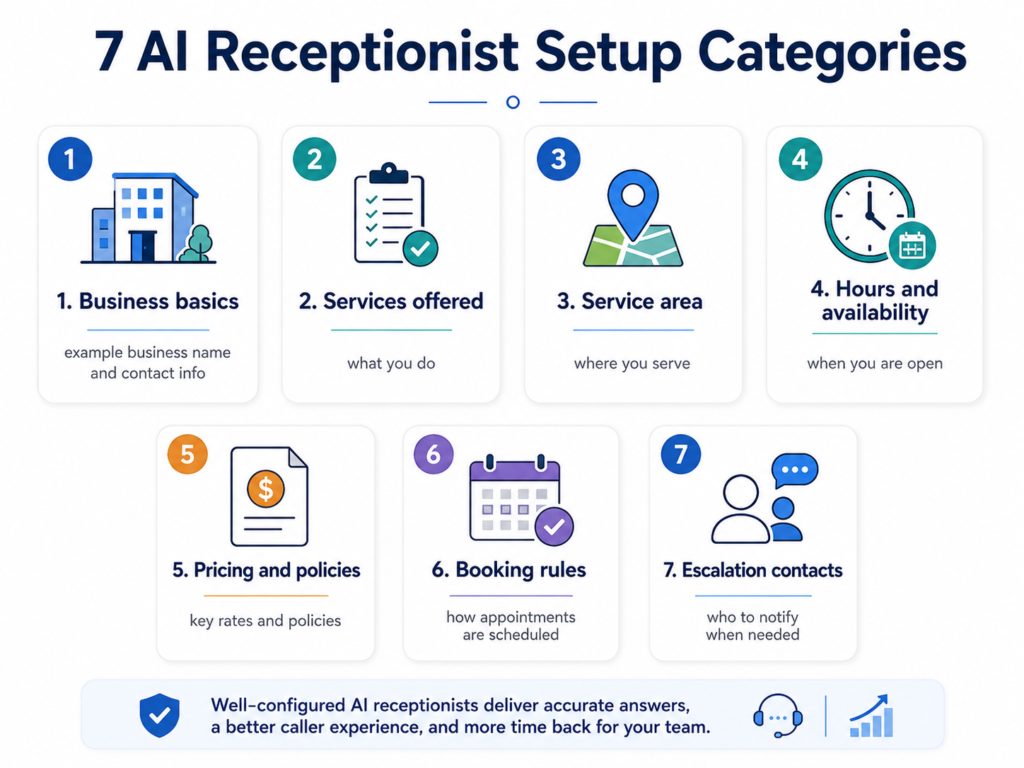
The Seven Things Your AI Receptionist Needs to Know
1. Your Business Hours and Coverage Rules
This sounds basic because it is. But “basic” does not mean you can skip it.
Your AI needs to know your standard hours, your after-hours protocol, whether you take calls on weekends, and whether the rules change around holidays. If you handle emergency calls outside normal hours, it needs to know what qualifies as an emergency and what the response process looks like.
The failure here is usually vagueness. “We’re open Monday through Friday” is not enough. What time does the phone get answered? What happens at 5:01 PM? What about a Saturday morning call from someone with a pipe that burst overnight?
The more precise you are about the edge cases, the better your AI handles them without escalating every unusual call to you.
2. Your Service Area
If your business only serves certain zip codes, cities, or counties, your AI needs that list. Not a general description — the actual boundaries.
When a caller asks “Do you service my area?” and your AI cannot answer with confidence, you lose that caller. They are not going to wait while you call them back to confirm. They will try the next business on their list.
If your service area is irregular, think through how to express it simply. “We serve the following cities” works. “We generally serve the Dallas area” does not.
3. What You Do and What You Do Not Do
Your AI needs a plain-language description of every service you offer, including any specializations or niche work that sets you apart. It also needs to know what you do not do, because that conversation happens more often than most people expect.
For a real estate agent, this might mean knowing whether you represent buyers, sellers, or both; which price ranges you typically work in; and whether you handle commercial or investment properties. For a home service business, it might mean specifying that you do plumbing repair but not new construction, or HVAC maintenance but not duct replacement.
When your AI can answer “Do you do X?” with a clear yes or no, it sounds like a professional who knows the business. When it fumbles that question, the caller wonders who they are talking to.
4. Your Lead Qualification Questions
This is one of the most important parts of the setup, and the one most business owners spend the least time on.
A good AI receptionist does not just take a message. It gathers the information you need to evaluate whether a caller is a qualified lead before you spend any time on them. But it can only ask the right questions if you tell it what those questions are.
Think about the last ten calls that actually turned into paying work. What did you learn in those conversations that told you the person was worth your time? Write those down. That is your qualification checklist.
For a real estate agent, this might include: Are you currently working with another agent? Are you pre-approved for a mortgage, or do you need to be? What’s your timeline for buying or selling? What price range are you focused on?
For a home service business, it might include: Is this for a residential or commercial property? Do you own the property? Has this issue been looked at before? Are you looking for a repair or a replacement?
Your AI can work through these questions naturally, in the flow of the call, and deliver a qualified lead summary to you instead of a blank message that just says someone called.
5. How Calls Should Be Routed and Escalated
Not every call is the same, and your AI needs to know how to handle the differences.
New lead calls should go one direction. Existing customer calls should go another. Urgent or emergency calls should trigger a specific escalation process. Sales calls, vendor calls, and misdials should be handled differently still.
Walk through your actual call categories and decide what happens in each scenario. Does a new lead get a booking confirmation and a callback window? Does an existing customer get transferred to a specific line or get told to expect a call within the hour? Does an emergency trigger an immediate text to you even if you are on a job?
When your AI knows the routing logic, it handles the decision automatically. When it does not, every call looks the same, and a lot of the important ones do not get the response they deserve.
6. Common Questions Your Customers Ask
Every service business has a short list of questions that come up on almost every call. Your AI should have good answers for all of them.
Sit down and list the ten questions you hear most often. Prices or estimates. How long jobs take. What to expect during an appointment. Whether you offer financing. How you handle warranties or callbacks. What to do if there is a problem after the work is done.
Write out the answer you would give to each one. Your AI does not need a script for these — it needs enough information to give a clear, confident answer that sounds like it came from your business.
This is also where brand voice matters. If you are formal and methodical, your AI should reflect that. If you are warm and conversational, your AI should reflect that instead. The goal is for a caller to hang up thinking they talked to someone who represents your business well, even if they know it was AI.
7. Your Booking and Follow-Up Process
If your goal is to get a caller booked, your AI needs to know exactly how that works.
What options do you give callers for scheduling? Do you use a specific booking system? Do you offer a call back within a certain window, or do you set an appointment on the first call? What information do you need before you can confirm an appointment?
If you want the AI to send a follow-up text or email after a call, it needs to know what that message should say and when to send it. If you want callers sent to a scheduling link, it needs that link and the language to use when offering it.
The more clearly you define this process up front, the more reliably your AI closes the loop for you while you are out doing the actual work.
A Simple Readiness Checklist
Before your AI receptionist goes live, you should be able to answer every one of these in writing:
- What are your exact business hours, including weekend and holiday rules?
- What is your complete service area, expressed as a list of cities, zip codes, or counties?
- What services do you offer? What services do you not offer?
- What are the three to five questions that tell you whether a caller is a qualified lead?
- What are your call categories and how should each one be handled?
- What are your ten most common caller questions and how do you answer them?
- How does your booking process work, step by step?
- What is the escalation path for an urgent or emergency call?
- What should the AI send as a follow-up after a call, and when?
If you can fill out that list, you have everything your AI needs to sound like your business from day one.
Frequently Asked Questions
How long does it take to set up an AI receptionist properly?
Most business owners can pull together the core business information in one to two hours. The qualification questions and call routing logic take the most thought. If you treat setup like a real conversation about how your business works rather than a form to complete, you will get better results and spend less time fixing problems later.
Does an AI receptionist need to be updated over time?
Yes. When your services change, your hours shift, or your service area expands, your AI configuration should be updated to match. A setup that was accurate six months ago may be giving callers outdated information today. Schedule a quick review every quarter as a minimum.
What happens if a caller asks something the AI does not know?
A well-configured AI has a graceful fallback for questions it cannot answer: it acknowledges the question, lets the caller know it is outside what it can help with directly, and offers to take a message or escalate to a human. What it should never do is guess or give a confident answer that turns out to be wrong.
Can the AI sound like my specific brand voice, not just a generic professional?
Yes, and this is one of the things worth spending real time on during setup. The tone, phrasing, and personality of your AI’s responses should reflect how your business actually communicates. If you are warm and informal with customers, your AI should be too. If you are precise and professional, that should come through in every call.
Is this only for businesses that get a high call volume?
No. The value of an AI receptionist comes from what happens to the calls you cannot answer, not the total number you receive. A business that gets 10 calls a day and misses 3 of them loses proportionally as much as a business that gets 100 calls and misses 30. If a missed call is a missed lead, volume is not the threshold. Availability is.
The Setup Is the Service
An AI receptionist does not arrive knowing your business. It learns what you teach it. The business owners who get the most out of this technology are the ones who take the setup seriously, answer the questions in detail, and treat the configuration like it matters, because it does.
The alternative is an AI that sounds like it was dropped into your business without an introduction. It answers the phone. It does not represent you.
Every call your business receives is someone deciding whether to stay or move on. The AI that handles that call should sound like you hired it, trained it, and actually trust it to do the job.
That starts before the first call ever comes in.
If you want to see what a properly configured AI receptionist looks like for a service business like yours, book your free EchoAssist demo and bring the information above with you. The setup conversation goes a lot faster when you are already prepared.
Keep Learning
- How Missed Calls Become Lost Revenue for Service Businesses — Why an unanswered call is rarely a minor inconvenience, and how to estimate what yours are actually costing you.
- Why Voicemail Is Not a Lead-Response Strategy — What your customers experience when they hit your voicemail, and what to do instead.
- The First Five Minutes After a Lead Calls: A Practical Follow-Up System — The workflow that happens after the call is captured, and why most businesses get this part wrong.
- How an AI Receptionist Works for a Busy Home-Service or Real-Estate Business — see this setup information put to work on a real call.
About the Author
Derrick Houston is the founder and CEO of DH Digital Consulting, LLC, based in Dallas, Texas. He helps solo entrepreneurs and service business owners put AI to work in their operations so the busywork runs itself and they can focus on growth and the customers who actually matter. His flagship service, EchoAssist AI, gives service businesses professional, always-on call coverage without hiring a receptionist. Connect at dhdigitalconsulting.com or (469) 689-1107.